Reading Ohio Fish Finders and Electronics
Have you ever spent a beautiful day out on an Ohio lake or river, convinced the fish finder on your boat was showing you a secret underwater world, only to end the day with an empty livewell and a head full of confusion? It's a common frustration, staring at those lines, arches, and blobs, trying to decipher what they truly mean. You're not alone in feeling like you need a Rosetta Stone just to understand your electronics. This comprehensive guide is here to demystify the complex world of fish finders and electronics, helping you translate those cryptic screen readings into successful fishing trips across Ohio's diverse waters.
The Basics of How Fish Finders Work
Before we dive into the nitty-gritty of interpreting what you see, it's really helpful to understand the fundamental mechanics of how these amazing pieces of technology actually work. Think of your fish finder as a sophisticated underwater eye, but instead of light, it uses sound waves. This isn't just about throwing a transducer in the water; it's a finely tuned system designed to paint a picture of the submerged world beneath your boat.
Transducers and Sonar Waves
At the heart of every fish finder is the transducer. This is the unsung hero that both sends out and receives the sonar signals. It converts electrical energy into sound waves and then back again. When you're cruising along a reservoir like Mosquito Creek Lake or drifting on Lake Erie, that transducer is constantly pinging sound waves down into the water. These sound waves travel until they hit something – a fish, the lake bottom, a submerged log, even a thermocline (a layer where the water temperature changes rapidly). Once they hit an object, they bounce back to the transducer, which then sends that information to the main unit for processing and display.
Different transducers operate at various frequencies, and understanding this is crucial for getting the best picture. Higher frequencies, like 200 kHz or even Mega Imaging frequencies, provide incredibly detailed images, but they don't penetrate as deep and the cone angle is narrower. This is fantastic for seeing individual fish and fine structure in shallower water, or when you need a crisp image directly beneath the boat. Lower frequencies, such as 50 kHz or 83 kHz, offer broader coverage and deeper penetration, making them ideal for deep water fishing in places like the central basin of Lake Erie or tracing expansive bottom contours on larger inland lakes. Many modern units, like those from Humminbird or Lowrance, will offer dual-frequency capabilities, allowing you to switch between them or even view both simultaneously on a split screen.
Display Types and Interpretations
The display unit is where all the magic happens for us anglers. It takes those returned sonar signals and translates them into a visual representation on a screen. Years ago, we were all staring at monochrome screens, which could still be incredibly effective once you learned to read the shades of gray. Today, most anglers are spoiled with vibrant, high-resolution color displays. These color palettes aren't just for aesthetics; they serve a functional purpose by using different colors to represent signal strength. Typically, stronger returns (like a hard bottom or a large fish) will show up as brighter or more intense colors, while weaker returns (like a soft bottom or a small baitfish) will appear in softer hues.
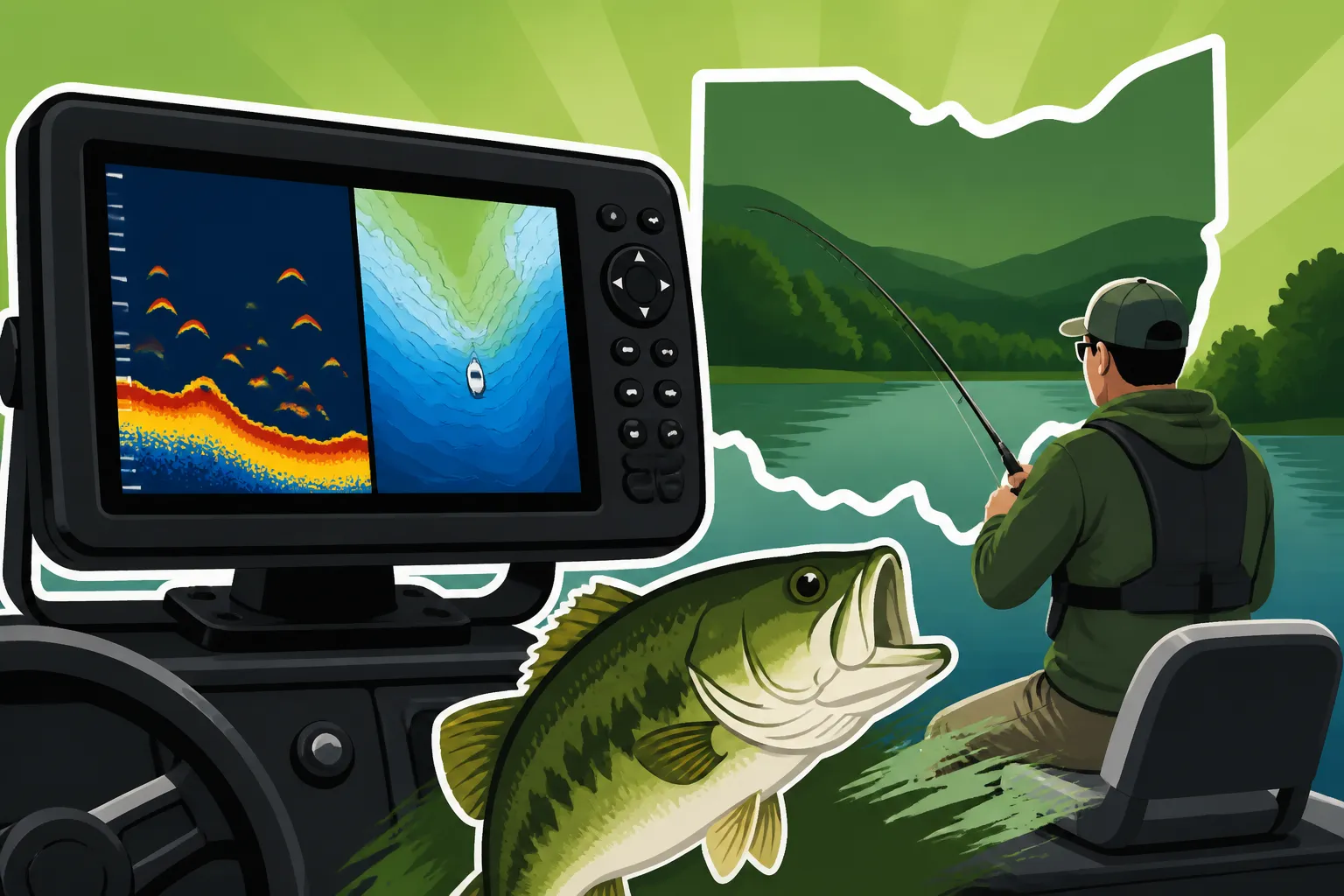
Screen resolution also plays a massive role in how clearly you can interpret what's below. A higher pixel count means a sharper, more detailed image, which can be the difference between identifying a school of crappie tucked into submerged brush or just seeing an ambiguous blob. When it comes to basic interpretations, a lot of what we see are "arches." These arches are formed when a fish passes through the sonar cone; as it enters the cone, a portion of the signal reflects, then the full signal, then a portion again as it leaves, creating that classic arch shape. The thickness and completeness of the arch can tell you about the size and movement of the fish. Straight lines or jagged patterns often indicate structure, while uniform bands of color might be baitfish schools. Getting comfortable with these basic icons is the first step to unlocking your fish finder's full potential.
Understanding Different Sonar Views for Ohio Waters
Modern fish finders offer an incredible array of viewing options, each designed to give you a unique perspective of the underwater world. Knowing when and where to use each mode is key to maximizing your success on Ohio's diverse fishing grounds, from the shallow weed beds of Indian Lake to the deep structures of Lake Erie.
2D Sonar Traditional Sonar
This is the bread and butter of fish finding, the classic view that most anglers start with and often return to. 2D sonar displays a history of what's directly beneath your boat as you move forward, scrolling from right to left across the screen. The beauty of 2D sonar lies in its ability to show you depth, bottom composition, and most importantly, those iconic fish arches. A well-defined, thick arch usually indicates a larger fish, while smaller, thinner arches or dashes represent smaller fish or bait. The position of the arch relative to the bottom also tells you if the fish is hugging the structure or suspended in the water column.
For example, when you're trolling for walleye on Lake Erie, those beautiful, crisp arches suspended 10-20 feet off the bottom in 30 feet of water are exactly what you're looking for. This is where you might employ Ohio Trolling Techniques for Lake Erie to put your baits right in front of them. Conversely, if you're targeting saugeye in a reservoir like Alum Creek Lake, you might see arches tight to the bottom near ledges or submerged humps, indicating they're holding close to structure. Bait balls, which appear as dense clouds of varying colors depending on signal strength, are also crucial to identify. Where there's bait, there are often predators. Learning to differentiate a solid bottom return from a scattered school of emerald shiners can dramatically improve your catch rates.
Down Imaging DownScan ClearVü
Down Imaging, often branded as DownScan by Lowrance or ClearVü by Garmin, takes traditional 2D sonar and renders it into a much more photographic-like image of what's directly below your boat. Instead of arches, you see objects and fish appear with more realistic shapes, almost like an X-ray of the water. This technology uses a very narrow, high-frequency beam that scans like a fan from side to side directly below the boat, compiling a detailed vertical slice of the water column.
The benefit of Down Imaging in Ohio's waters is immense for distinguishing fish from structure. For instance, when you're probing the intricate timber and brush piles for crappie in a place like Buckeye Lake, Down Imaging can show you the individual branches of a submerged tree and the distinct shapes of crappie nestled within them, rather than just a jumbled mess of arches and bottom returns on 2D sonar. This clarity helps you present your bait more effectively, knowing precisely where the fish are holding in relation to the cover. It’s also incredibly useful for identifying species-specific structures. For instance, a dense school of yellow perch might appear as a distinct clump or stack of shapes, making it easier to pinpoint them compared to the often ambiguous blobs on a 2D screen.
Side Imaging SideScan SideVü
Side Imaging, known as SideScan or SideVü by various manufacturers, is truly revolutionary, allowing you to "see" out to the sides of your boat, often up to 200 feet or more on each side. Imagine flying over the water and looking down at the lakebed as if the water wasn't there – that's the kind of perspective Side Imaging offers. It sends out fan-shaped sonar beams horizontally from the transducer, painting a wide picture of the bottom, structure, and suspended fish off to the port and starboard.
This technology is a game-changer for scouting large areas quickly. If you're looking for isolated humps, rock piles, or old roadbeds in a vast reservoir like Hoover Reservoir, or trying to locate schools of smallmouth bass on the flats of Lake Erie, Side Imaging allows you to cover ground efficiently without driving directly over every piece of potential structure. You can spot a submerged boat, a massive rock pile, or a school of fish 50 feet off to your left, then mark a waypoint and circle back to fish it. This saves an incredible amount of time, especially in expansive areas where finding those needle-in-a-haystack spots can be arduous. For anglers interested in Ohio Smallmouth Bass Fishing Guide, Side Imaging is an invaluable tool for locating scattered rocks and transitions where these fish love to hide.
Interpreting Key Readings on Your Fish Finder
Having a fancy fish finder with all the bells and whistles is one thing, but knowing what those lines, colors, and shapes actually mean is where the real skill comes in. It's like having a map but not knowing how to read the legend. Let's break down the most critical pieces of information your electronics are trying to tell you.
Locating Fish and Baitfish Schools
This is often the primary reason we buy a fish finder: to find fish! On 2D sonar, fish typically appear as arches. The quality of the arch—its thickness, completeness, and how brightly it's colored (on color units)—gives you clues about the fish. A thick, well-formed arch often signifies a larger fish, while a partial arch might mean a fish on the edge of the cone or a smaller species. Many units also have "Fish ID" features that convert arches into fish icons, but seasoned anglers often prefer to turn these off. While helpful for beginners, these icons can sometimes misidentify debris or even thermoclines as fish. True arches are more reliable.
Baitfish schools, on the other hand, usually appear as dense, amorphous clouds or balls of varying intensity. They might be suspended high in the water column or hugging the bottom. On 2D sonar, they'll look like a fuzzy mass, often brighter in the center where the school is densest. With Down Imaging, these schools will look much more distinct, often appearing as tightly packed groups of tiny specks or shapes. Seeing bait is incredibly important because where there are schools of minnows, shad, or shiners, you can bet predatory fish like walleye, bass, or crappie aren't far behind. For example, when searching for Ohio Walleye Fishing Guide, finding large schools of baitfish suspended in the water column is a strong indicator you're in the right area.
Identifying Structure and Cover
Fish are intrinsically linked to structure and cover. They use it for ambush points, protection from predators, and staging areas. Your fish finder is your window into these underwater havens. On 2D sonar, the bottom line is your first clue. A thick, bright bottom line usually indicates a hard bottom (rock, gravel, clay), while a softer, broader, less intense line suggests a softer bottom (mud, silt). Sharp changes in the bottom line's depth indicate ledges, humps, or drop-offs, which are prime locations for many species.
When it comes to cover like submerged trees, brush piles, or weed beds, Side and Down Imaging really shine. On Down Imaging, a submerged tree will appear as a realistic depiction of branches and trunk, often with fish symbols (or arches if you're running split screen with 2D) tucked within its canopy. Side Imaging provides an even broader view, allowing you to scout vast areas for these hidden gems. You might spot a cluster of stumps or a sunken boat hull off to your side, appearing as a clear shape with a shadow behind it (the shadow tells you the object's height off the bottom). Understanding how to interpret these structures is crucial for locating species like Ohio Largemouth Bass Fishing Guide or Ohio Muskie Fishing Guide, which are notorious for relating to specific types of cover.
Water Depth, Temperature, and Bottom Composition
Beyond finding fish and structure, your fish finder provides crucial environmental data that helps you understand fish behavior and patterns. Water depth is, of course, fundamental. It tells you how deep you're fishing and helps you relate to contour maps. More importantly, understanding changes in depth, like shelves and drop-offs, are key to predicting where fish will move.
Water temperature is another vital piece of the puzzle. Most fish species have preferred temperature ranges, and many fish finders include a temperature gauge on the transducer. For instance, walleye often prefer cooler water, so knowing the thermocline depth can help you target them more effectively, especially during warmer months on Lake Erie. A sudden drop in surface temperature might indicate a cold front, which can turn off a bite, and your electronics will show you that change instantly.
Finally, bottom composition, as mentioned earlier, is derived from the thickness and intensity of the bottom return on your 2D sonar. A hard bottom will show a strong, bright, and often narrow line, sometimes with a second "ghost" echo below it. A soft, muddy bottom will typically produce a wider, less intense, and more diffused return. Knowing whether you're over rock, gravel, mud, or sand helps you select the right bait and presentation. Are you dragging a bottom bouncer over gravel for walleye, or are you looking for a soft, silty flat where catfish might be grubbing? Your fish finder will tell you.
| Sonar Type | Best Use Case | What it Shows | Ohio Application |
|---|---|---|---|
| 2D Sonar | General fish finding, depth, bottom composition | Fish arches, bait balls, bottom contour, thermoclines | Trolling for suspended walleye on Lake Erie, identifying schools of perch, finding crappie holding in open water, mapping general lake contours. |
| Down Imaging | Detailed view of structure directly below the boat | Photo-like images of submerged trees, rocks, distinct fish shapes | Precisely pinpointing bass in heavy cover, locating crappie in brush piles, differentiating fish from structure, inspecting precise rock formations for smallmouth in clearer lakes. |
| Side Imaging | Scouting wide areas, finding isolated structure | Wide view of bottom, distant fish schools, sunken objects | Covering vast flats on Lake Erie for walleye or smallmouth, locating isolated humps or creek channels in large reservoirs like Piedmont Lake or LaDue Reservoir. |
| GPS/Chartplotter | Navigation, marking waypoints, following contours | Maps, routes, waypoints, speed, compass | Navigating large bodies of water, marking productive spots, following contour lines for walleye or bass, especially on Best Ohio Reservoirs for Walleye and Saugeye. |
Optimizing Your Fish Finder Settings for Ohio Fishing
Owning a fish finder is one thing; mastering its settings to get the clearest, most informative picture for Ohio's varied fishing conditions is another entirely. Don't just set it and forget it! Taking the time to understand and adjust your unit's settings can drastically improve your ability to locate and catch fish.
Adjusting Sensitivity and Gain
The sensitivity (or gain) setting on your fish finder controls how much detail the unit will display. Think of it like the volume knob on a radio: too low, and you'll miss faint signals; too high, and you'll get a lot of static and clutter. The goal is to set it as high as possible without introducing excessive noise into the display. This is a dynamic setting that will likely change throughout the day, depending on depth, water clarity, and even boat speed.
For instance, when you're fishing a relatively clear, deep lake like Caesar Creek Lake, you might be able to run your sensitivity higher to pick up those subtle returns from suspended baitfish or shy crappie. However, if you're navigating a shallower, murkier river system like the Maumee River during the walleye run, too high a sensitivity will likely result in a screen full of clutter from suspended particles and debris. A good starting point is often around 70-80% and then adjusting it incrementally until the bottom line is clear and distinct, and you can still see faint returns above it without too much "snow" on the screen. Running a bit too high is generally better than too low, as it's easier to filter out noise than to wish you had picked up a faint fish return.
Frequency Selection and Cone Angle
As we touched on earlier, different sonar frequencies and their associated cone angles are designed for specific purposes, and knowing when to use them is paramount. Most transducers offer at least two main frequencies, typically 200 kHz (high frequency) and 50 kHz or 83 kHz (low frequency).
- High Frequency (200 kHz): This provides excellent detail and target separation. It's fantastic for finding individual fish, distinguishing fish from tight cover, and getting clear images in shallower water (up to about 200 feet, though this varies). The downside is a narrower cone angle, meaning you're scanning a smaller area directly beneath your boat. Use this when you're trying to pinpoint specific fish on a piece of structure or when ice fishing in Ohio, where precision is key.
- Low Frequency (50 kHz or 83 kHz): This offers a much wider cone angle and deeper penetration. While the detail isn't as crisp as high frequency, it allows you to scan a larger area, which is great for covering broad flats or searching for schools of fish in deeper water. It's also less susceptible to interference in some conditions. When covering ground quickly on Lake Erie for Ohio Yellow Perch Fishing Guide, a lower frequency might help you spot a wider school, though many prefer high frequency for better target separation when hovering over them. Many units allow you to display both frequencies simultaneously on a split screen, giving you the best of both worlds: broad coverage on one side and detailed close-up on the other.
Customizing Display and Alarms
Your fish finder isn't just a generic tool; it's a personalized information hub. Customizing the display and setting up alarms can make it far more effective for your specific fishing style and target species in Ohio. Most modern units allow for various split-screen configurations. You might want a 2D sonar on one side and Down Imaging on the other to get both a traditional and a photographic view. Or perhaps a large map view with a small 2D sonar window if you're primarily navigating to specific spots found with Best Places to Fish in Ohio.
Color palettes are another area of customization. Experiment with different color schemes to find one that's most comfortable for your eyes and provides the best contrast for the conditions you're fishing. Some anglers prefer darker backgrounds, while others like brighter ones for daylight viewing. Finally, don't overlook the power of alarms. You can set depth alarms to warn you of shallow water, which is a lifesaver when navigating unfamiliar areas. You can also set fish alarms that will sound when a fish symbol (or a strong arch, depending on your settings) appears on the screen. While not foolproof, these can be a helpful audible cue, especially if you're distracted by other tasks on the boat. These features are all designed to help you focus on the fishing, letting your electronics do the heavy lifting of observation.
Advanced Techniques and Real-World Scenarios
Once you've got the basics down and understand your settings, it's time to elevate your game. The real power of modern fish finders comes alive when you integrate advanced techniques and apply them to specific, real-world fishing scenarios common across Ohio. This is where you move from just seeing fish to actively hunting them.
Using GPS and Mapping with Sonar
Modern fish finders often integrate GPS and detailed mapping capabilities, turning them into indispensable navigation and fish-finding tools. High-definition bathymetric charts, like those available on Navionics or Garmin LakeVü charts, show you contour lines, depths, and even specific underwater features. When combined with your live sonar feed, this becomes a powerful combination.
Imagine you're targeting smallmouth bass on a large, rocky flat in Lake Erie's Western Basin. With your chartplotter, you can identify a subtle depth change, say from 15 to 12 feet, or a cluster of isolated rock piles not visible from the surface. As you approach this area, your Side Imaging can then confirm the presence of these structures and even show you schools of baitfish or individual smallmouth holding tight to them. You can then mark these precise locations as waypoints, allowing you to return to them easily on future trips. This is crucial for building a personal "milk run" of productive spots. For instance, when exploring for potential Ohio Largemouth and Smallmouth Bass Limits, marking precise points where you find fish helps you develop a pattern much faster. Don't forget that many mapping cards can be purchased or updated through retailers like Amazon, ensuring you have the latest and most accurate charts for your region.
Interpreting Readings in Challenging Conditions
Ohio fishing isn't always fair-weather and calm water. From muddy river conditions after heavy rain to strong winds on Lake Erie, your fish finder can still provide valuable information if you know how to adjust.
- Muddy Water: In highly turbid water, sonar signals can struggle to penetrate effectively, often resulting in a cluttered screen or weak returns. In these situations, try reducing your sensitivity slightly to filter out some of the suspended debris. Focus more on prominent features like major depth changes or solid, clear bottom returns. You might also want to switch to a lower frequency if your unit allows, as these can sometimes penetrate muddy water more effectively than higher frequencies. If you're fishing the Ohio River after a significant rain, don't expect crystal-clear images, but you can still identify deeper channels or hard bottom transitions where catfish might be concentrated.
- Windy Conditions/Rough Water: Boat bounce in rough water can cause the transducer to move erratically, leading to distorted readings on your screen. While you can't eliminate this entirely, sometimes adjusting the "Scroll Speed" on your unit can help. A faster scroll speed might smooth out some of the erratic lines caused by boat movement. Additionally, focusing on the GPS display for consistent boat speed and direction becomes even more critical when waves are making sonar interpretation difficult.
- Deep Water: When fishing very deep water, like some of Ohio's deeper reservoirs or parts of Lake Erie, ensure you're using a lower frequency if your unit supports it, as it offers better depth penetration. You might also need to increase sensitivity to pick up faint returns from deep-dwelling fish or structures. Pay close attention to thermoclines, which often appear as a distinct band on your 2D sonar; fish often orient themselves along these temperature boundaries.
Syncing Sonar with Your Fishing Strategy
The ultimate goal isn't just to see fish, but to catch them. Your fish finder is the scouting report, and your fishing strategy is the game plan. The two must work in tandem. If your screen shows walleye suspended 15 feet down over a 30-foot bottom, you know to deploy crankbaits or crawler harnesses that run at that precise depth. This often involves checking your Best Ohio Fishing Gear and Tackle Guide to match your presentation.
If Down Imaging reveals crappie tucked tightly into a brush pile, you know to use a vertical presentation like a jig and minnow, dropping it precisely into the visible cover rather than casting blindly. If Side Imaging helps you locate a large school of baitfish with predatory arches around it, you might switch to a lure that mimics those baitfish in size and color. Your electronics provide the "where," and your angling knowledge provides the "how." It's an iterative process: find fish, analyze their location relative to structure and depth, select a technique, and then use your sonar to monitor your presentation and the fish's reaction. This constant feedback loop is what separates good anglers from great ones.
Common Mistakes and Troubleshooting
Even with the best equipment, mistakes happen, and troubleshooting can be a frustrating part of the angling experience. Understanding common pitfalls and how to address them can save you a lot of headache and ensure your fish finder is always working for you, not against you.
Misinterpreting Arches and Structure
One of the most common mistakes, especially for new fish finder users, is misinterpreting what's on the screen. Those perfect, textbook fish arches you see in the manual? They don't always appear that way in real life. Often, you'll see partial arches, dashes, or even vertical lines. These can still indicate fish, particularly if they're moving quickly or are on the very edge of the sonar cone. Don't dismiss them! Similarly, it's easy to mistake a strong thermocline (a visible band where water temperature changes rapidly) for a school of suspended fish, or a cluster of debris or submerged air bubbles for bait.
To combat this, always try to use multiple sonar views if your unit allows. If 2D sonar shows a fuzzy cloud, switch to Down Imaging. If it looks like a thermocline, confirm by checking your water temperature readout. For structure, understand that "hard" returns (like rocks) will typically be brighter and have a cleaner line than "soft" returns (like mud). Don't just rely on fish icons; learn to read the raw sonar data. The more time you spend observing and comparing what you see on your screen to what you actually catch or confirm with other methods (like dropping a camera), the better you'll become at accurate interpretation.
Transducer Placement and Interference Issues
A perfectly good fish finder can be rendered useless by improper transducer placement or electrical interference. The transducer needs a clear, unobstructed "view" of the water below. If it's mounted too high, too low, or near other obstructions on the boat hull, you'll get turbulent water flowing over it, which results in "spray" or "noise" on your screen, making it impossible to read. A common symptom of this is a clear picture at slow speeds that becomes totally garbled as you speed up. Ensure your transducer is mounted properly, typically just below the hull, in a spot with clean water flow.
Electrical interference is another culprit. This can manifest as diagonal lines, flickering, or random dots on your screen, often caused by other electronics on your boat, like the boat's motor, bilge pump, or even poorly wired lights. To troubleshoot, try turning off other electronics one by one to isolate the source. Ensure your fish finder's power cable is routed directly to the battery with its own fuse, avoiding sharing power with other devices. Sometimes, adjusting the "Noise Rejection" or "Interference Rejection" settings on your unit can help, but addressing the physical source is always best. A simple solution for some interference might involve rerouting cables or ensuring secure, clean connections.
Software Updates and Maintenance
Just like your smartphone or computer, your fish finder runs on software, and manufacturers frequently release updates. These updates aren't just for adding new features; they often include bug fixes, performance enhancements, and improved sonar algorithms that can actually make your unit perform better. Neglecting software updates is like driving a car without proper tune-ups – it still works, but not optimally. Many units can be updated by downloading software from the manufacturer's website (e.g., Garmin, Humminbird, Lowrance) onto an SD card and loading it into your unit.
Beyond software, physical maintenance is key. Regularly inspect your transducer for any damage, marine growth, or debris that might be impacting its performance. Clean the screen with a soft, damp cloth, avoiding harsh chemicals that can damage the protective coating. Check all cable connections for corrosion, especially after fishing in saltwater environments (though less common in Ohio, it can happen if your boat travels). Proper care ensures your investment lasts longer and continues to provide you with the accurate readings you rely on for productive days on the water. You can find many cleaning supplies and protective covers for your electronics on sites like Amazon to help keep them in top shape.
Disclaimer
The information provided in this guide is for general informational purposes only and should not be considered professional advice. Fishing regulations and conditions in Ohio can change, and it is the angler's responsibility to stay informed of current laws and safety guidelines. Always prioritize personal safety and environmental stewardship when on the water.